
Family calendar. Any screen.
One screen.
No kerfuffle.
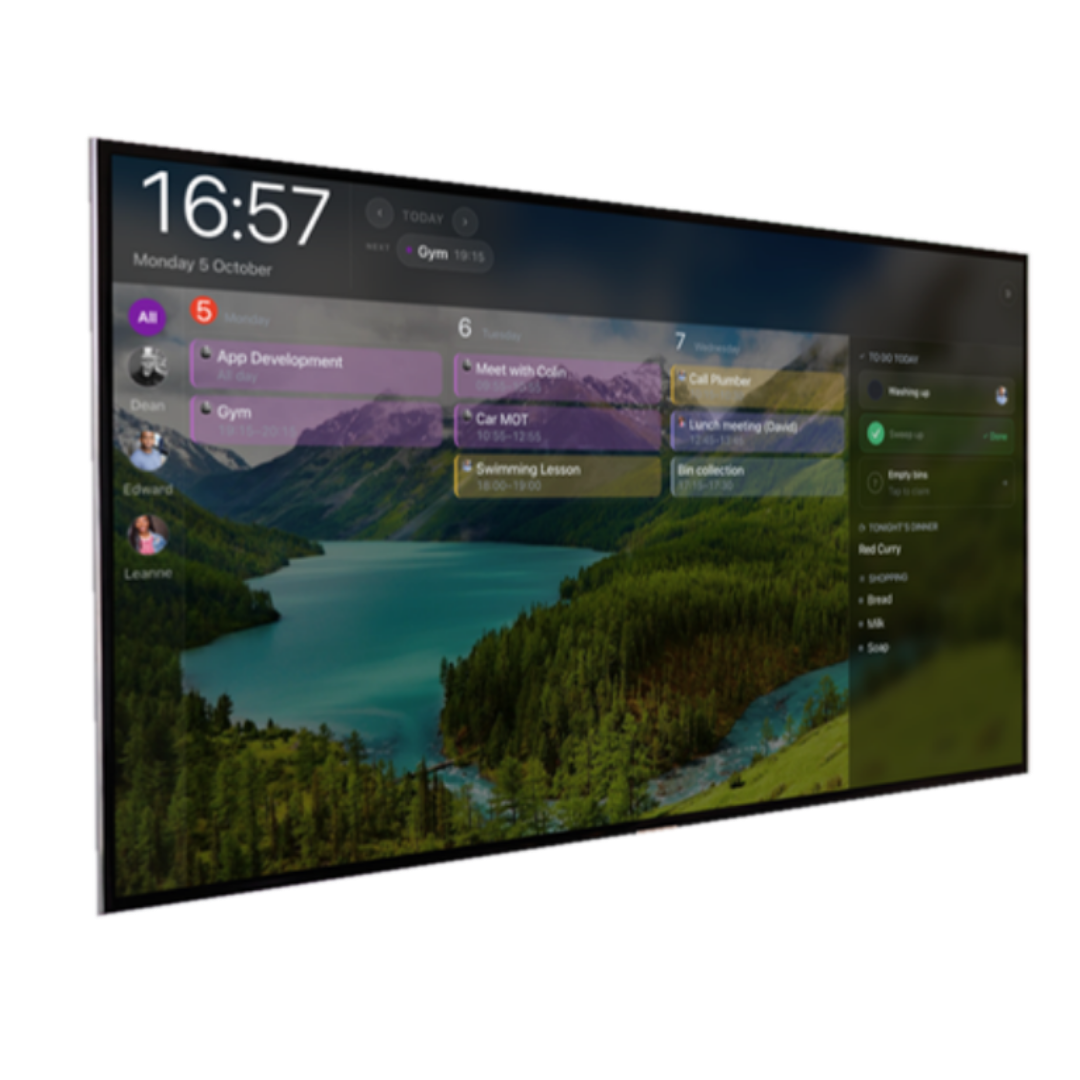
The family calendar that runs on a screen you already own. Point an old tablet at a web address, type six digits, and it becomes the thing on the kitchen wall.
Free for one household. No hardware to buy, ever.
Works with
How it works
Six digits, and the wall is done.
- 1
Open kerfuff.app/pair on any spare screen. No account, no app.
- 2
In the app on your phone, go to Settings, then Displays, then Add.
- 3
Type the six digits. The screen fills with your calendar.
Your pairing code
Codes expire after 10 minutes. A new one appears automatically.
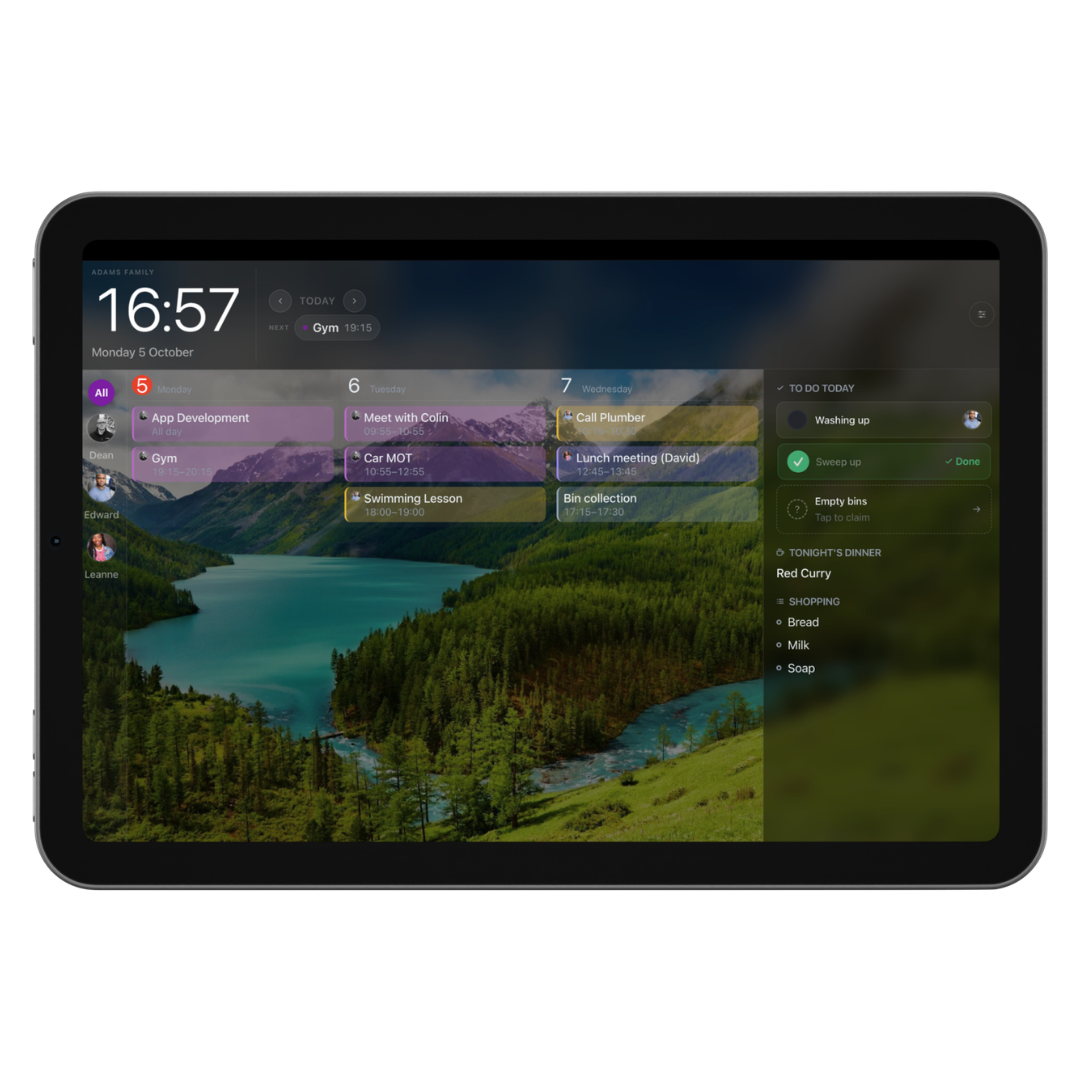
Any screen
The thing on the wall.
An old tablet propped in the kitchen. A laptop left open in the hall. A cheap panel from Amazon. Whatever you have, it becomes the family calendar. No dedicated hardware, no subscription just for the display.
- Day, week and month views
- Photo screensaver with weather and time
- Offline mode with staleness badge
- Works in any browser
AI capture
The letter gets home before you do.
Photograph the school newsletter at the gate. It arrives as a draft. You approve each event before it lands on the calendar. Nothing is written without you.
Included in the paid plan.


Tasks
Chores without the nagging.
Put a job up for grabs. Whoever gets there first ticks it off. Recurring routines, streaks and a shared shopping list in the same place.
Built for the UK.
Not an American app with a British flag slapped on it. Built here, for how families actually work here.
UK bank holidays
England, Wales, Scotland and Northern Ireland bank holidays added to your calendar automatically, every year.
UK data residency
Your data lives in London (AWS eu-west-2). We are the data controller under UK GDPR. No US transfers.
School term dates
Add your school's term dates manually or paste in a calendar link. Works with any UK school.
What families say
Families who switched.
“Finally, a way to keep everyone's plans in one place. It's so much easier seeing what's happening throughout the week without constantly asking each other.”
John Mitchell
“We had an old iPad sitting in a drawer, so the idea of turning it into a family calendar really appealed to us. Such a clever use for something we already owned.”
James Thompson
“The colour-coded calendars make it so much easier to see who is doing what. Simple things like that make a big difference.”
Daniel Harris
“What appeals to me most is not having to buy another expensive screen just to organise the family. Using a tablet you already have makes so much sense.”
Rebecca Foster
“Having the shopping lists, meal planning and family calendar together is brilliant. No more jumping between different places to find things.”
Michael Bennett
“The pairing process is refreshingly straightforward. It's nice to see technology that doesn't require a complicated setup.”
Claire Wilson
“The wall display is my favourite part. Being able to glance at a screen and see what's coming up is exactly what I wanted.”
Sophie Turner
“I really like being able to customise the display to suit our household. It feels much more personal than a standard calendar.”
Matt Clarke
“I've been looking at dedicated family calendars, but the option to use an existing tablet is much more appealing. A great alternative.”
David Hughes
Simple pricing.
The display layer is free. The paid plan adds calendar sync, AI scanning and more.
Free
£0/ forever
- ✓Up to 2 paired displays
- ✓Photo screensaver with weather & time
- ✓Chores, routines and lists
- ✓UK bank holidays
- ✓Offline display mode
Paid
£4/ month
or £36/year — save 25%
Everything in Free, plus:
- ✓Calendar sync — Google, Outlook & Apple
- ✓AI scanning from photos and email
- ✓Meal planning and recipe box
- ✓Co-parenting (linked households)
- ✓Unlimited displays & layouts
No credit card required to start. See full feature list →
Questions.
Do I need to create an account on the screen?
No. Open /pair on any browser, enter the code. No typing on the display device.
What screens work?
Any browser will do. Chrome, Firefox, Safari. A cheap Android tablet from Amazon works as well as a £1,000 iPad.
What happens if I stop paying?
You drop to the free plan automatically. Nothing is deleted. AI scan drafts you've approved stay on your calendar.
Where is my data stored?
In the UK. AWS eu-west-2, London region. We are the data controller under UK GDPR.
Your screen is already there.
Set up in minutes. Free to start, no credit card needed.